
TL;DR: Obsidian has no native handwriting, so there is no single “right” way to do this, only trade-offs. If you write on a tablet, use a stylus plugin (Excalidraw, Handwritten Notes) or iPad Scribble. If you write on paper, get the pages into your vault as images or PDFs. Either way, the piece people miss is making that handwriting into searchable, editable text, which needs OCR. Generic OCR plugins are weak on real handwriting; for cursive or messy notes, a handwriting-specialist tool like the Handwriting OCR plugin does the job from inside Obsidian.
Why this is harder than it should be
Obsidian is a plain-text, Markdown app. That is exactly why it is durable and fast, and exactly why it has no built-in inking or handwriting recognition. So every “handwritten notes in Obsidian” workflow is something people assemble themselves, which is why the forums and r/ObsidianMD are full of the same question.
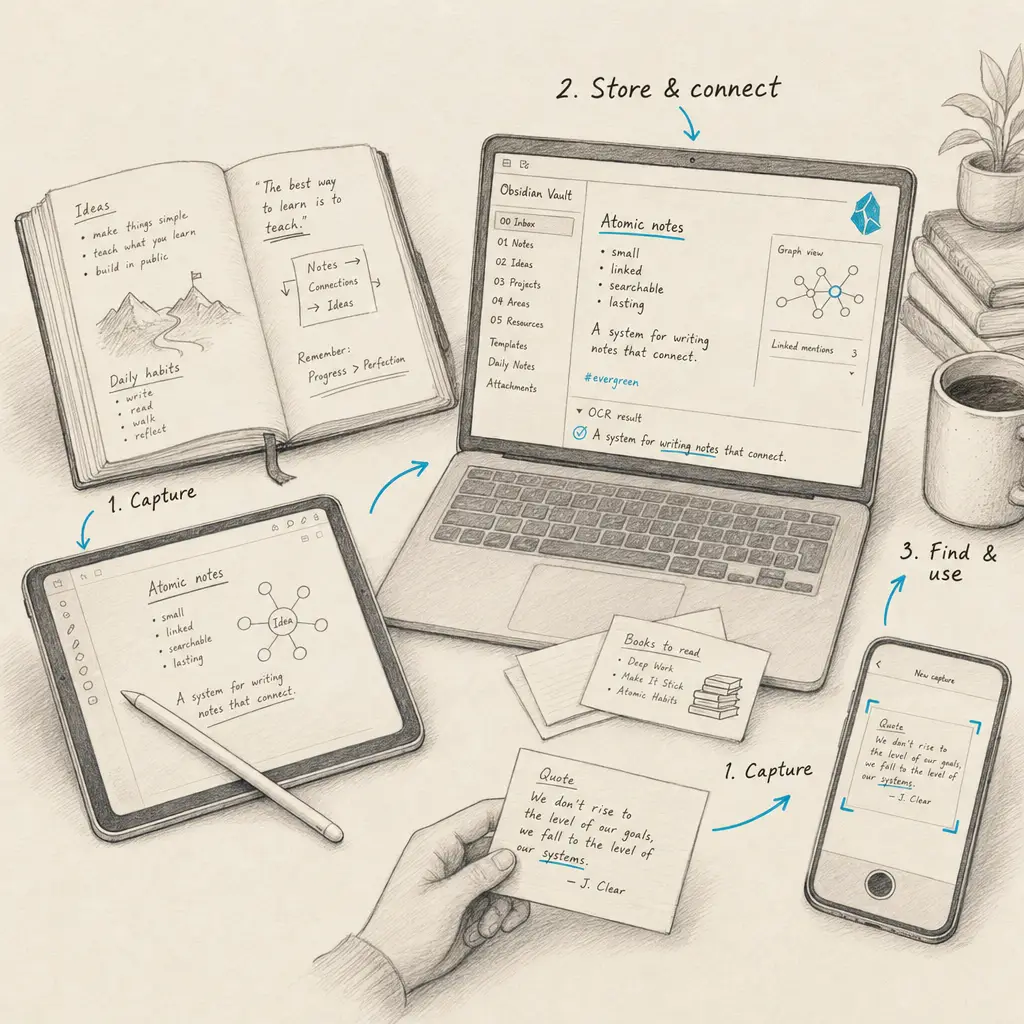
It helps to separate three different jobs, because most guides blur them:
- Capture: getting handwriting in, whether you write digitally or on paper.
- Store: keeping it in your vault.
- Search: turning it into text you can actually find, link, and edit.
Most methods nail one or two of these. The one people underrate is search, because a stored image of a page is invisible to Obsidian’s search. Here are the real options.
Option 1: Write by hand inside Obsidian (stylus)
Best if you work on a tablet and want to write digitally in the first place.
- iPad Scribble. On an iPad with an Apple Pencil, you can write into Obsidian’s editor and let iPadOS convert your handwriting to text as you go. It is the closest thing to native, it produces real text, and it needs no plugin. It is only as good as Apple’s on-device recognition, which favors neat printing.
- Excalidraw plugin. The most popular drawing plugin for Obsidian. You get an infinite canvas for handwriting, sketches, and diagrams stored inside your vault. Excellent for visual thinkers, but the result is a drawing, not searchable text.
- Handwritten Notes plugin. Adds stylus-based note pages stored as PDF for long-term compatibility. Good for people who want a dedicated “notebook” feel inside Obsidian. It captures ink rather than converting it to text, and it relies on an external PDF editor.
The catch across all three: they store ink, not text. Great for capture, not for search, unless you also run recognition.
Option 2: Bring paper and photos into your vault
Best if your handwriting already lives on paper, in a notebook, or in a photo.
- Embed the image or PDF. The quickest route: drag a photo or scanned PDF into your vault and embed it in a note. It stores fine, but it is a dead image. You cannot search the words, link to a line, or edit them.
- Sync from an external notes app. If you already write in Apple Notes, GoodNotes, or OneNote, you can export or use import shortcuts to pull pages into Obsidian. Convenient if that is your existing habit, but you are managing two apps, and most of these still land as images or lightly-converted text.
These solve capture and storage. They do not, on their own, solve search.
Option 3: Turn handwriting into searchable text (OCR)
This is the step that makes the whole thing worthwhile, and the one most workflows skip. OCR converts the image of your handwriting into real, editable Markdown.
The important caveat: most OCR plugins were built for printed text. General extractors (Text Extractor, OCR Extractor, AI Image OCR, and similar) do fine on a typed receipt and poorly on a page of cursive. For real handwriting you want a handwriting-specialist option.
- Images to Notes and Note Companion are AI-based plugins that convert handwritten pages into notes and are worth a look.
- The Handwriting OCR plugin is our own official plugin, built specifically for handwriting. Right-click an image or PDF in your vault and it returns clean, editable text: cursive, messy, and faded notes included, plus multi-page PDFs and over 300 languages. It runs on a Handwriting OCR account (one credit per page, with free trial credits to test on your own worst handwriting).
Whichever you choose, this is the step that turns a stored image into a note you can search and link like anything else.
Option 4: Smart notebooks and e-ink tablets
Best if you love writing on paper-like hardware. Devices like the reMarkable, Supernote, and Rocketbook export your handwriting as a PDF, which you can drop into your vault. From there it is the same story as Option 2: you have the pages stored, and you run OCR (Option 3) to make them searchable.
Which option should you use?
| What you want | Best route |
|---|---|
| Write digitally on a tablet | iPad Scribble, or Excalidraw for visual notes |
| A dedicated handwriting notebook in Obsidian | Handwritten Notes plugin |
| Store paper notes quickly | Embed the photo or PDF |
| Search and edit your handwriting | OCR it: Handwriting OCR plugin for real handwriting |
| Digitize a whole notebook or archive | Scan to PDF, then OCR the pages |
There is no single winner. If you only want to capture, a stylus plugin is enough. But if the goal is a second brain where your handwritten notes are as findable as your typed ones, the OCR step is what gets you there.
If that is the job, our Handwriting OCR plugin is built for exactly it. Create a free account, install the plugin from Obsidian’s community directory, and turn your notebooks into searchable notes. For handwriting outside Obsidian, the same engine powers our handwriting-to-text tools.
Frequently asked questions
Does Obsidian support handwriting?
Not natively. Obsidian is a Markdown text editor with no built-in inking. You add handwriting through plugins (like Excalidraw or Handwritten Notes), by writing with a stylus where the operating system converts it to text (such as iPad Scribble), or by bringing in photos and PDFs of paper notes and running OCR on them.
How do I make handwritten notes searchable in Obsidian?
Storing a photo or PDF of a page only gives you an image you cannot search. To make handwriting searchable and editable, run it through OCR. General OCR plugins are built for printed text and struggle with real handwriting, so for cursive or messy notes use a handwriting-specialist option such as the Handwriting OCR plugin, which converts the page to text inside your vault.
Can I write by hand directly in Obsidian?
Yes, with help. On an iPad you can write with an Apple Pencil and let Scribble convert it to text in the editor. Plugins like Excalidraw let you draw and handwrite on a canvas, and the Handwritten Notes plugin adds stylus note pages stored as PDF. These capture ink well but do not produce searchable text unless you convert it.
What is the best way to get paper notes into Obsidian?
Photograph or scan the pages, then run them through OCR to turn them into editable Markdown. The Handwriting OCR plugin does this from inside Obsidian, handling cursive, messy handwriting, and multi-page PDFs, so a scanned notebook becomes a searchable note rather than a stored image.